JavaScript Promises Explained for Beginners
Promises didn't replace callbacks - they made them readable. Here's how they work, why they were created, and how to use them confidently.
The Problem With Callbacks (A Quick Recap)
In the last article, we talked about callbacks - a function you pass to other functions so they can be called later. They work. But when you need multiple async operations to happen in sequence, the code starts nesting deeper and deeper.
getUser(function(err, user) {
  getProfile(user.id, function(err, profile) {
    getPosts(profile.username, function(err, posts) {
      // buried three levels deep
    });
  });
});
Hard to read. Hard to debug. Hard to maintain. This is the problem promises were built to solve.
A Promise Is a Future Value
Here's the mental model that makes promises click:
A promise is a placeholder for a value you don't have yet.
Think about ordering food at a restaurant. You place your order, and the waiter gives you a little buzzer. That buzzer is a promise - it doesn't have your food right now, but it represents a commitment that food is coming. You don't stand at the counter waiting. You go sit down, do other things, and when the buzzer goes off, you know your order is ready.
That's exactly what a JavaScript Promise does. When you kick off an async operation, you get a promise back immediately. You can say: "when this resolves, do this. If it fails, do that."
The Three States of a Promise
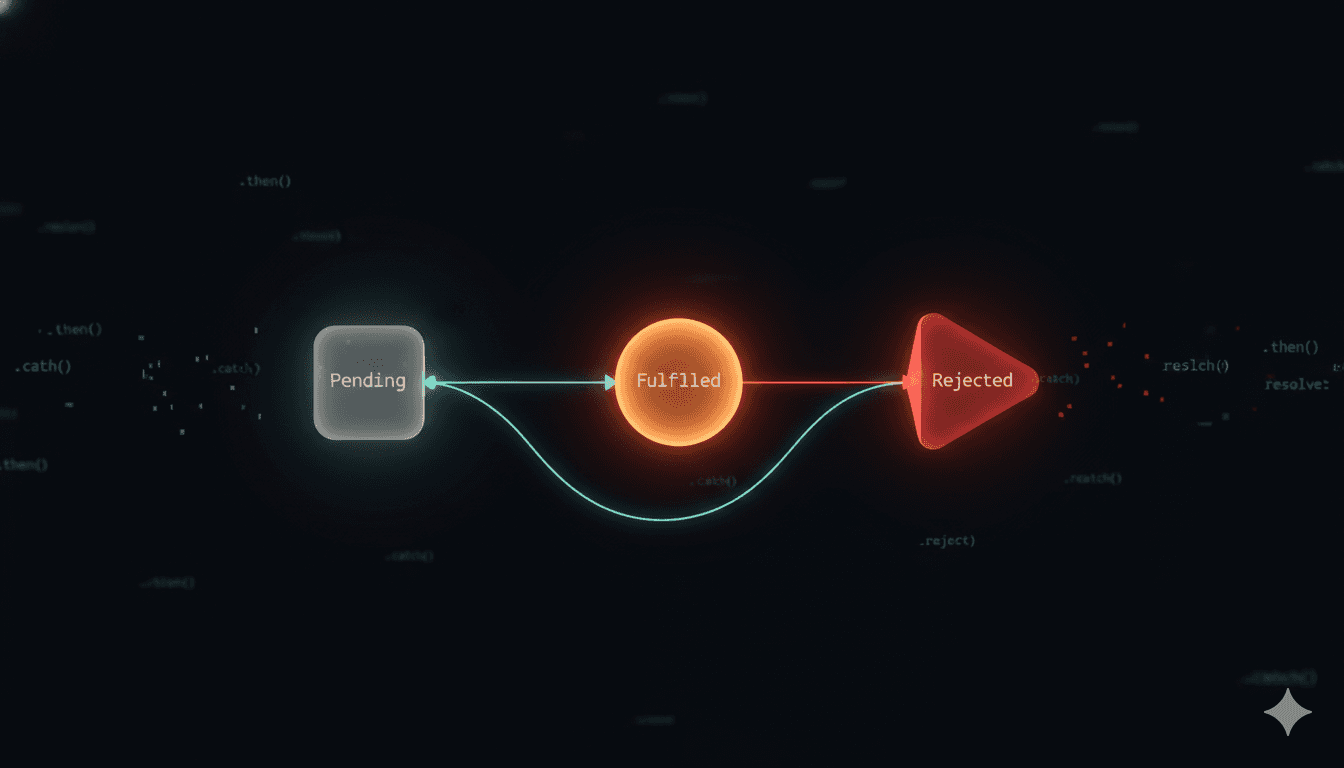
Every promise is always in one of three states:
Pending:
Operation still in progress. Waiting for the buzzer.Fulfilled:
Completed successfully. You got your food.Rejected:
Something went wrong. The kitchen ran out.
A promise starts as pending. It then either fulfils or rejects - and once it does, it stays that way. A fulfilled promise can't become rejected. That's it, no going back.
Creating a Basic Promise
Here's what a promise looks like from the inside:
const myPromise = new Promise(function(resolve, reject) {
  const success = true;

  if (success) {
    resolve("It worked!");
  } else {
    reject("Something went wrong.");
  }
});
You create a promise by passing a function to new Promise(). That function receives two arguments: resolve and reject. You call resolve when things go well, and reject when they don't .
A more realistic example - wrapping setTimeout in a promise:
function wait(ms) {
  return new Promise(function(resolve) {
    setTimeout(resolve, ms);
  });
}

wait(2000).then(function() {
  console.log("2 seconds passed");
});
Instead of nesting a callback inside setTimeout, you get a promise back that you can chain cleanly off of.
Handling Success and Failure
You handle a fulfilled promise with .then(), and a rejected promise with .catch():
fetch("https://api.example.com/user")
  .then(function(response) {
    return response.json();
  })
  .then(function(data) {
    console.log(data);
  })
  .catch(function(error) {
    console.log("Something went wrong:", error);
  });
A few things to notice:
.
then()receives the resolved value.catch()receives the rejection reasonOne
.catch()at the end handles errors from anywhere in the chain.
With callbacks, you had to manually check if (error) inside every single callback.
With promises, error handling is centralised. One .catch() covers the whole chain.
Promise Chaining
This is the main feature that made promises revolutionary. Each .then() returns a new promise, so you can chain them in a flat, readable sequence:
fetch("https://api.example.com/user")
  .then(response => response.json())
  .then(user => fetch("/api/posts/" + user.id))
  .then(response => response.json())
  .then(posts => console.log(posts))
  .catch(error => console.log(error));
Now compare the same logic, written both ways:
Callbacks:
getUser(function(err, user) {
  if (err) return log(err);
  getPosts(user.id,
    function(err, posts) {
      if (err) return log(err);
      display(posts);
    }
  );
});
Promises:
getUser()
  .then(user =>
    getPosts(user.id)
  )
  .then(posts =>
    display(posts)
  )
  .catch(err => log(err));
Same logic. Completely different readability. The promise version reads top to bottom like a sequence of steps. Flat code is genuinely easier to reason about - especially when you're debugging at midnight.
The Full Lifecycle
const promise = new Promise(function(resolve, reject) {
  // 1. Starts as "pending"
  setTimeout(function() {
    const worked = Math.random() > 0.5;

    if (worked) {
      resolve("Success!");   // 2a. Fulfilled
    } else {
      reject("Failed!");     // 2b. Rejected
    }
  }, 1000);
});

promise
  .then(value => console.log("Fulfilled:", value))
  .catch(reason => console.log("Rejected:", reason))
  .finally(() => console.log("Done either way"));
.finally() runs regardless of whether the promise is fulfilled or rejected. Handy for cleanup - hiding a loading spinner, closing a connection, that sort of thing.
A Few Things Worth Knowing
Promises are eager. The function you pass to
new Promise()runs immediately - not lazily. The async part is what gets deferred.
.then()always returns a new promise. This is why chaining works. Each step waits for the previous one to resolve before running.
If you return a promise inside
.then(), the chain waits for it. Returningfetch(...)inside a.then()means the next.then()doesn't run until that fetch completes.
Always handle rejections. It you forget
.catch()and the promise rejects, you'll get a warning in Node.js - and potentially a crash. Never skip error handling.
Conclusion
Promises are not magic.
They're just a better way to manage the same callbacks you already know. The mental model - a future value, three states, .then() and .catch() - is what everything else builds on.
Want More?
Blog: https://blogs.kanishk.codes
Twitter: https://x.com/kanishk_fr
LinkedIn: https://linkedin.com/in/kanishk-chandna
Instagram: https://instagram.com/kanishk__fr