Introduction to Using cURL for Beginners
Before directly jumping into what cURL is, it’s usecase or working, we must understand the need for it, which will make it easy for you to understand.
What is a Server?
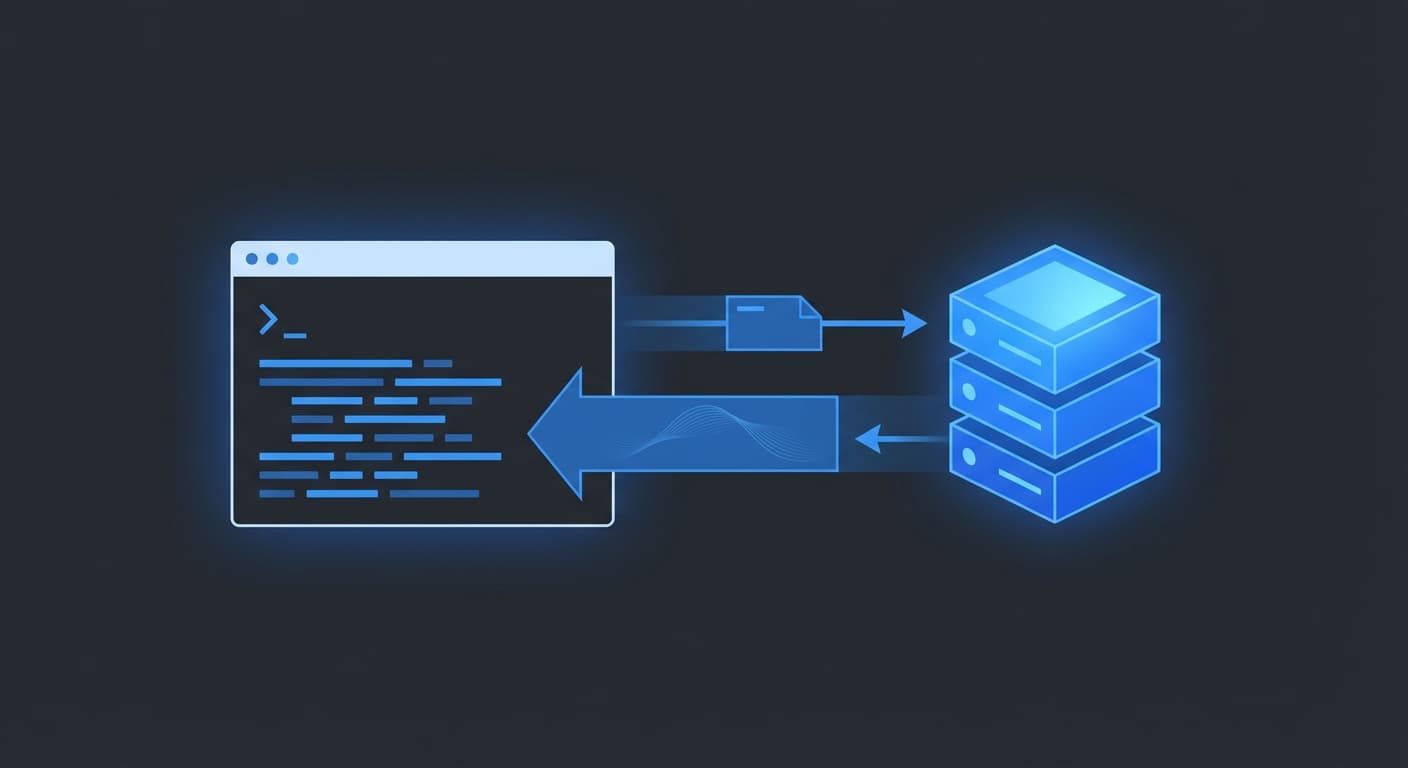
In very simple terms, a server is a machine that stays online 24×7 and runs a program or a website that provides data, resources, and services to other computers (also known as clients) over the network using the client-server model, where the client requests and the server responds.
When you open a website, your browser is the client. The machine hosting that website is the server. The browser sends a request like “give me this page”, and the server replies with the data needed to show it.
That’s the entire internet in one sentence.
How Do Clients and Servers Talk?
Clients and servers don’t magically understand each other. They communicate by sending structured messages over the network.
Your browser does this quietly in the background. You type a URL, hit enter, and things just work.
But as a programmer, we often want to:
Test a server
Talk to an API
See what a server actually returns
Debug things when they break
For that, we need a way to send messages without a browser.
That’s where a cURL comes in.

What is cURL?
cURL (Client URL) is a command-line tool that lets you send requests to a server directly from the terminal and see the response.
You give cURL a URL, and it:
Sends a request to the server
Receives the response
Shows it to you
Under the hood, it supports many protocols and advanced features, but you do not need to care about any of that right now.
Why Programmers Need cURL
cURL is useful because it removes the UI layer and shows you exactly what’s happening between a client and a server.
Programmers use cURL to:
Test APIs before writing frontend code
Check if a server is responding correctly
Debug backend issues
Automate simple network requests
Learn how HTTP actually works
If you work with backend systems, APIs, or DevOps even a little, cURL becomes unavoidable.

Your first cURL Command
Let’s start with the simplest possible example.
curl https://example.com/
This command:
Sends a request to
example.comFetches the response
Prints it in the terminal
If the URL returns HTML, you’ll see HTML.
If it returns JSON, you’ll see JSON.
If it returns plain text, you’ll see plain text.
It just shows you what the server sends back.
Using cURL to Talk to APIs
APIs are just servers that expect structured requests and return structured responses, usually in JSON.
curl https://api.github.com
This sends a simple request and returns JSON data describing the API.
You didn’t open a browser.
You didn’t write any JavaScript.
You talked directly to the API.
This is why cURL is often the first tool used when working with APIs.
GET and POST Requests
For now, we’ll just focus on two request types:
GET: asking the server for data
POST: sending data to the server
A basic GET request is what you’ve already been doing.
POST requests come later, once you’re comfortable reading responses.

Common Mistakes Beginners Make with cURL
Some very normal mistakes:
Trying to learn every flag on day one
Copy-pasting complex commands without understanding them
Panicking when the output looks “ugly”
Assuming cURL is only for backend developers
cURL output is waw by design. It’s now meant to be pretty. It’s meant to be honest.
If you understand what you sent and what you got back, you’re already doing it right.
Conclusion
cURL is not a fancy tool. It’s a fundamental one.
Once you’re comfortable using cURL:
APIs feel less intimidating
Backend systems make more sense
Debugging becomes easier
You stop guessing and start verifying
You don’t need to master cURL to use it effectively. You just need to understand that it’s a direct line between you and a server.
Want more?
Blog: https://blogs.kanishk.codes/
Twitter: https://x.com/kanishk_fr/
LinkedIn: https://linkedin.com/in/kanishk-chandna/
Instagram: https://instagram.com/kanishk__fr/