DNS Record Types Explained
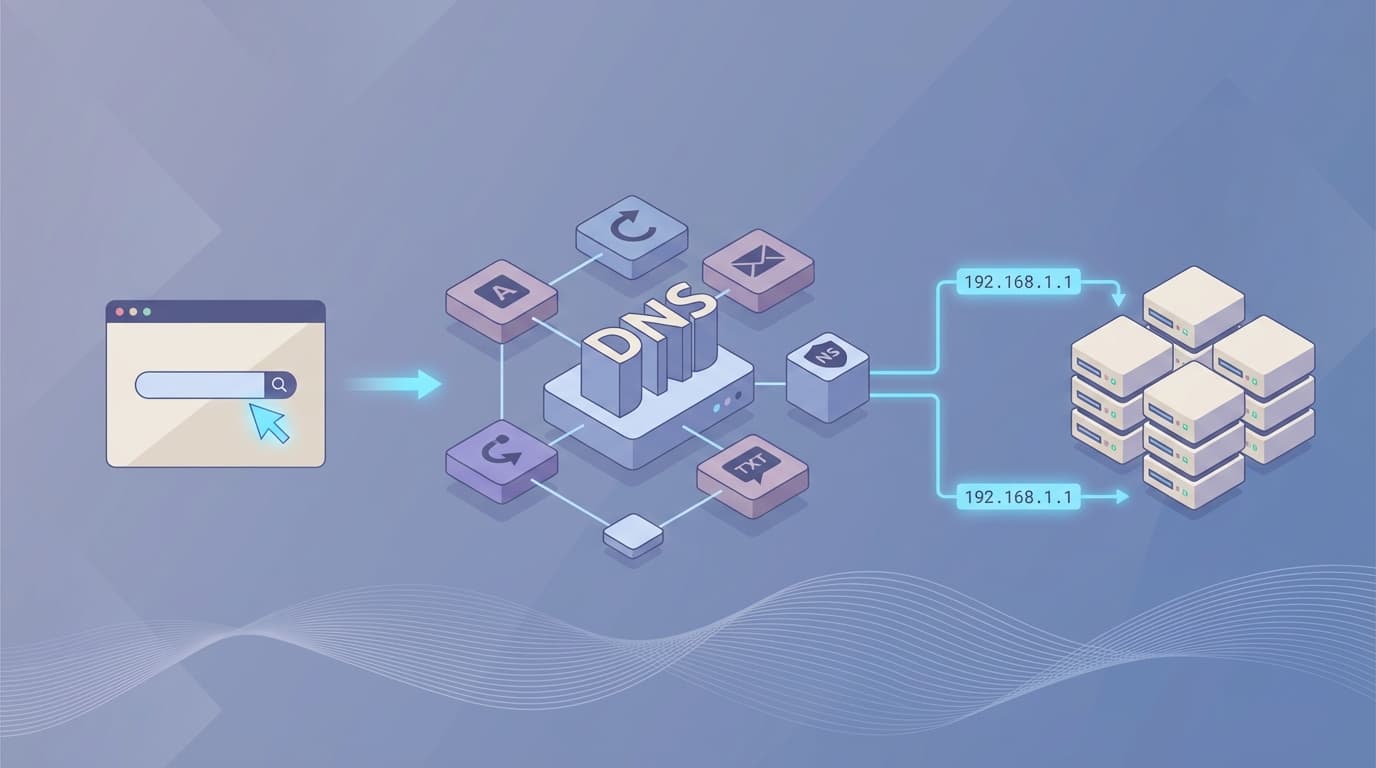
Introduction
Have you ever wondered how a browser knows where exactly a website lives? Leave the browser for a second. I’m pretty sure that if you’re reading this article, you must have thought about how and where these domains are stored and how they work behind the scenes.
So, in this article, I’ll take you through the entirety of the working of DNS (Domain Name System) in a very beginner-friendly way. We’ll go through What is DNS? Why is it needed? What are DNS records and their types?
Need for Domain Names
As you must be knowing that every device connected to the internet has its own unique address, known as an IP (Internet Protocol) address, which is a unique numerical label. This enables every device to communicate and locate each other for sending and receiving data over the internet.
As there are billions of devices on the internet, humans cannot remember long numerical labels. For our convenience, we have developed domain names, which are human-friendly, unique web addresses that identify a website or server on the internet, acting as an easy-to-remember shortcut for complex numerical IP addresses. This makes navigation simple and easy.
What is DNS?
You can think of DNS as the internet’s phonebook, which maintains all the domain name records, and it translates human-friendly domain names (like www.google.com) into machine-readable numeric IP addresses (like 142.250.186.42) that computers use to find and connect, allowing users to access websites by typing simple names instead of long numbers.
What are DNS records, and why are they needed?
So far, DNS sounds simple, you type a domain name, and somehow you end up at the right server.
But DNS doesn’t work with just one kind of information. Different parts of the internet need different answers. Browsers, mail servers, verification systems, and load balancers all ask DNS different questions.
DNS records are how a domain answers those questions.
A DNS record is a structured instruction stored inside a domain’s DNS zone. Each record tells the internet what to do with a specific kind of request related to that domain.
One record might say, “send website traffic here.”
Another might say, “email for this domain goes there.”
Another might exist only to prove ownership or configure security.
You can think of DNS records as a rulebook for a domain.
When a request comes in, DNS checks the rulebook and responds based on the type of question being asked.
Types of DNS records
NS Record
An NS (Name Server) record in DNS specifies which DNS servers are authoritative for a domain, basically telling the Internet where to find all other DNS records (like A, MX, CNAME) for that domain, ensuring correct IP resolution and reliable service through primary/secondary servers.
If DNS were a help desk, NS records tell you which desk handles questions for this domain.
You must be wondering why it exists. So, DNS is distributed. There isn’t one global server that knows everything. Instead, responsibility is delegated in the following steps:
The root servers know which name servers handle “.com”
“.com” servers know which name servers handle “example.com”
Those name servers finally know the actual records
NS records are how this delegation works.
A Record
An A Record maps a domain name to an IPv4 address.
You can also think of it as - if a domain name is a contact name, and an A record is the phone number saved in it.
When you type “example.com” into a browser, DNS is asked: “What IP address should I connect to for this domain?”
The A record is the answer to that question.
If DNS were a phonebook, A records would be the actual numbers people dial.
AAAA Record
An AAAA record maps a domain name to an IPv6 address.
The only difference between an A and AAAA record is that A handles IPv4 addresses and AAAA does the same for IPv6 addresses.
Pv4 has a limited number of addresses, and the Internet outgrew it.
IPv6 exists to solve that problem with a much larger address space.
CNAME Record
A CNAME record makes one domain name an alias of another domain name.
If an A record is a phone number, a CNAME record is a contact shortcut that says, “use whatever number this other contact has.”
Basically, instead of storing an IP address, a CNAME points to another hostname, and DNS keeps resolving until it reaches an A or AAAA record.
For example, when a browser asks for “www.example.com”, DNS might respond: “That’s a CNAME for example.com.”
DNS then look up “example.com” and returns its A or AAAA record.
MX Record
An MX (Mail Exchange) record tells the Internet where emails for a domain should be delivered.
This is what actually happens:
When someone sends an email to “hello@example.com”, their mail server asks DNS: “Which server handles email for example.com?”
DNS answers using MX records.
Those MX records point to mail servers, not IP addresses directly.
TXT Record
A TXT record stores text-based instructions or verification data for a domain.
TXT records are how a domain proves things about itself and publishes rules that the internet follows.
Reason why it exists: Some services do not need a destination, like a website or email server.
They need confirmation, configuration, or policy.

How All DNS Records Work Together
A single domain name isn’t just a website. It’s an entry point for multiple services, and DNS decides how each request should be handled.
Here’s how it comes together.
When someone types your domain into a browser, DNS uses A or AAAA records to translate that name into an IP address. That’s how web traffic reaches your server.
When someone sends an email to your domain, DNS doesn’t care about those A records. Instead, it checks MX records to find out which mail servers are responsible for receiving email.
If you want multiple names to point to the same place, CNAME record steps in. They let one hostname act as an alias for another, so you don’t have to duplicate configuration.
Behind the scenes, NS records decide who is allowed to answer these questions in the first place. They delegate authority to specific DNS servers and make the entire system scalable.
Through all of this, TXT records quietly publish rules, proof, and security policies.
They help verify ownership, protect email, and allow services to trust your domain.
Every website you visit relies on this cooperation. You just don’t notice it, because when DNS is doing its job right, it stays invisible.
And that’s exactly the point.
Want more?
Blog: https://blogs.kanishk.codes/
Connect with me
Twitter: https://x.com/kanishk_fr/
LinkedIn: https://linkedin.com/in/kanishk-chandna/
Instagram: https://instagram.com/kanishk__fr/